Announcement

Collapse
No announcement yet.

-::All Wiko Firmware Download From Here::-

Collapse
X
 
  • Filter
  • Time
  • Show
Clear All
new posts

  • SWAPAN_MISHRA
    replied

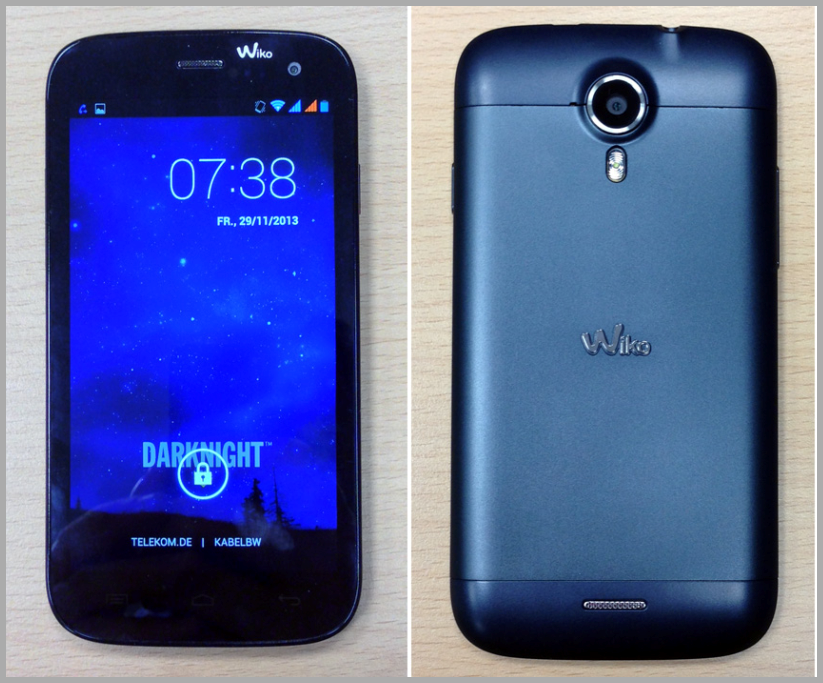
    Wiko DarkNight


    DARKNIGHT_V2113656


    Last edited by SWAPAN_MISHRA; 10-29-2015, 04:03 AM.

    Leave a comment:


  • SWAPAN_MISHRA
    replied

    Wiko DarkMoon


    DARKMOON_V1713658


    Leave a comment:


  • SWAPAN_MISHRA
    replied

    Wiko Dark Full


    DARKFULL_V1613660


    Leave a comment:


  • SWAPAN_MISHRA
    replied

    Wiko Cink Slim 2


    Wiko Cink Slim 2 V512647


    Leave a comment:


  • SWAPAN_MISHRA
    replied

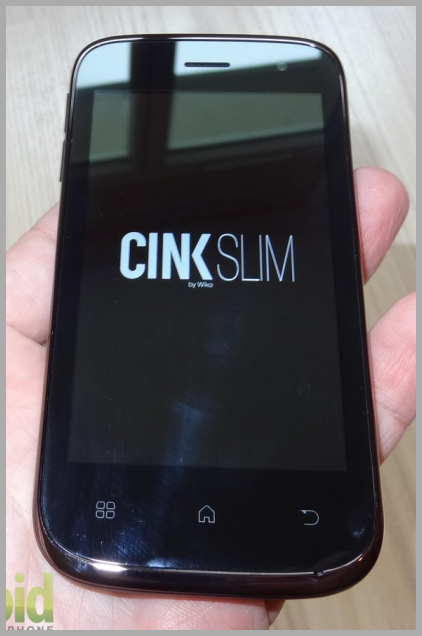
    Wiko Cink Slim


    CINK_SLIM-M12102_151s1s51


    Last edited by SWAPAN_MISHRA; 10-29-2015, 04:48 AM.

    Leave a comment:


  • SWAPAN_MISHRA
    replied

    Wiko Cink Plus


    CINK_PLUS_V712108


    Last edited by SWAPAN_MISHRA; 10-29-2015, 04:48 AM.

    Leave a comment:


  • SWAPAN_MISHRA
    replied

    Wiko Cink Peax2


    CINK_PEAX2_V2013625


    Last edited by SWAPAN_MISHRA; 10-29-2015, 04:49 AM.

    Leave a comment:


  • SWAPAN_MISHRA
    replied

    Wiko Cink Peax


    CINK_PEAX_V14


    Last edited by SWAPAN_MISHRA; 10-29-2015, 04:49 AM.

    Leave a comment:


  • SWAPAN_MISHRA
    replied

    Wiko Cink King


    CINK_KING_V112114


    Last edited by SWAPAN_MISHRA; 10-29-2015, 04:49 AM.

    Leave a comment:


  • SWAPAN_MISHRA
    replied

    Wiko Cink Five


    CINK_FIVE_V2413645


    Last edited by SWAPAN_MISHRA; 10-29-2015, 04:47 AM.

    Leave a comment:


  • SWAPAN_MISHRA
    replied

    Wiko Birdy 4G


    Wiko_Birdy_4G_v19_4.4.2_ALPS_KK1_MP3_V1


    Last edited by SWAPAN_MISHRA; 10-29-2015, 04:47 AM.

    Leave a comment:


  • SWAPAN_MISHRA
    replied

    Wiko Birdy


    BIRDY_V16


    Last edited by SWAPAN_MISHRA; 10-29-2015, 04:47 AM.

    Leave a comment:


  • SWAPAN_MISHRA
    replied

    Wiko Barry

    BARRY_V1213652


    Last edited by SWAPAN_MISHRA; 10-29-2015, 04:45 AM.

    Leave a comment:


  • SWAPAN_MISHRA
    started a topic -::All Wiko Firmware Download From Here::-

    -::All Wiko Firmware Download From Here::-


    -::All Wiko Mobile Firmware Download From Here::-


    Flash Android Stock ROM for Wiko Highway and Wiko Cink Slim 2 using Smart Phone Flash Tool:

    This guide works only with the two listed Wiko models.

    All the remaining devices can have the stock ROM installed like this: download their zip files from the Devices panel, extract the contents in the zip.

    Run the extracted Stock ROM executable and then follow the instructions listed by the application.

    For the Wiko Highway and Cink Slim 2 you should follow the info below:

    1.Download the Android ADB USB Drivers Here, then install them on your computer.

    2.Switch off your device now completely.

    3.Remove the device’s battery, too. Leave it unplugged until you manage to complete the stock ROM installation.

    4.Download the Stock ROM for your device from the Devices panel at the end of this post.

    5.Extract the stock ROM zip contents on your PC.

    6.Next, download the Smart Phone Flash Tool Here.

    7.Launch the ‘Flash_tool’ executable.

    8.After the SP Flash Tool app is opened you should click on its ‘Scatter-loading’ button.

    9.Browse the folder extracted in step 4 and then load the firmware ‘Scatter’ file in SP Flash Tool.

    10.Click ‘Download’ now in order to trigger the installation process.

    11.Connect your device to your PC via USB cable and press Volume Up or Volume Down until the device is detected by your computer.

    12.When the SP Flash Tool detects your device you can close the app and then disconnect the device from PC, as the Android stock ROM installation has been successfully completed.

    13.Plug the device’s battery back into its place and then reboot it in normal mode.


    Last edited by SWAPAN_MISHRA; 10-29-2015, 06:52 AM.
Working...
X